A full version program for Android, by HDM Dev Team.

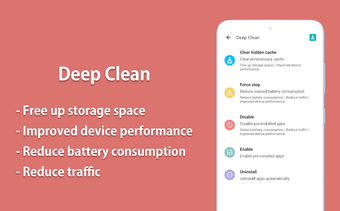
Auto Optimizer is a free memory management app for Android devices. It can free up memory and release resources by hibernating running apps. 

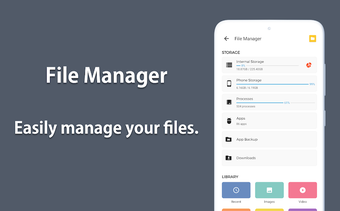
File manager

Easily manage your files with the file manager function. You can view and organize files in a list view or a tree view. 

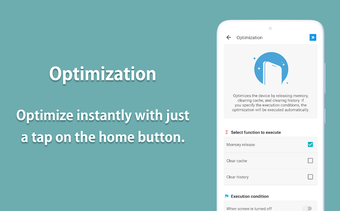
Optimization

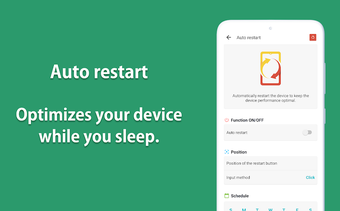
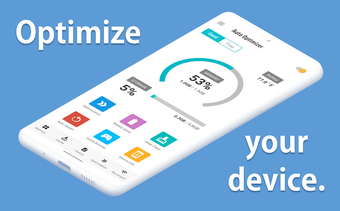
Optimizer function can optimize your phone with a single tap. It can hibernate running apps and save battery power by reducing the usage of the phone. 

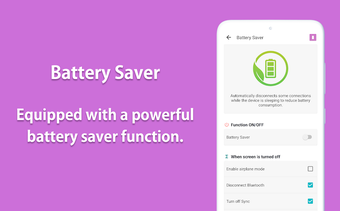
Battery saver

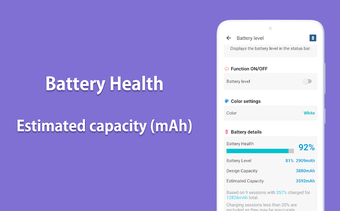
Battery saver function can reduce the battery consumption by hibernating running apps. This can improve the battery life. 

CPU information

You can view the usage of the processor, and the information of the processor and the usage.

Device information

You can view detailed information about the device, including the information about the device model and the version, the OS version, the build number, and the hardware version.

 0/8

App specs

  • License

    Full

  • Version

    1.13.0.0

  • Latest update

  • Platform

    Android

  • OS

    Android 9.0

  • Language

    English

    Available languages

    • English
    • German
    • Korean
    • Portuguese
    • Finnish
    • Italian
    • French
    • Spanish
    • Czech
    • Japanese
    • Polish
    • Danish
    • Dutch
    • Russian
    • Hindi
    • Norwegian
    • Chinese
    • Swedish
    • Chinese
    • Greek
    • Arabic
    • Turkish
  • Downloads

    485

    Last month's downloads

    • 65
  • Size

    32.09 MB

  • Developer

  • Download Options

    APK, Google Play

  • Filename

    jp.snowlife01.android.autooptimization.premium_1.13.0.0.apk

Program available in other languages


User reviews about Auto Optimizer Premium

Have you tried Auto Optimizer Premium? Be the first to leave your opinion!

You may also like

Alternatives to Auto Optimizer Premium

Explore Apps

Latest articles

Laws concerning the use of this software vary from country to country. We do not encourage or condone the use of this program if it is in violation of these laws.

Softonic
Your review for Auto Optimizer Premium
Softonic

Is Auto Optimizer Premium safe?

100/100

Score result: Clean

This file passed a comprehensive security scan using VirusTotal technology. It is safe to download.

  • Virus free
  • Spyware free
  • Malware free
  • Verified by Security Partners

    VirusTotal logo

Scan Info

Last scan
Friday, October 31, 2025
Scan provider
VirusTotal · Full report

File Integrity

File
jp.snowlife01.android.autooptimization.premium_1.13.0.0.apk
SHA256
79d168100c9c676d44daf3ed08bda5649ad3b51a1acbe3bfa2d69e35728daea6
SHA1
4bca1b88fd7762b892d5fc92b5ac4b9de1d54baf

Softonic security commitment

Auto Optimizer Premium has been thoroughly scanned by our advanced security systems and verified by industry-leading partners. This file comes from the official developer and has passed all our security checks, showing no signs of viruses, malware, or spyware.